本帖最后由 八哥 于 2026-1-4 17:00 编辑
# 在您的配置文件中定义模板
button_card_templates:
  light_button:
    styles:
      card:
        - padding: 15px
        - border-radius: 12px
        - font-size: 16px
        - font-weight: 600
        - transition: all 0.3s ease
      name:
        - font-size: 14px
        - margin-top: 10px
    state:
      - value: 'on'
        styles:
          card:
            - background: 'rgba(0, 255, 0, 0.2)'
            - color: 'rgba(0, 255, 0, 0.9)'
            - box-shadow: 0px 0px 10px rgba(0, 255, 0, 0.3)
      - value: 'off'
        styles:
          card:
            - background: 'rgba(128, 128, 128, 0.2)'
            - color: 'rgba(128, 128, 128, 0.9)'

# 然后在卡片中使用模板
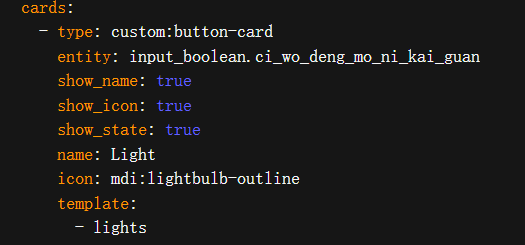
type: custom:button-card
entity: switch.sonoff_xxxxxxxx
name: 主卧吊灯
show_name: true
show_icon: true
show_state: true
icon: mdi:ceiling-light
template: light_button
| 



 发表于
发表于 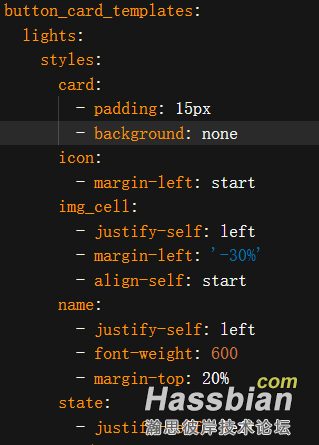


 发表于
发表于